


Just Ask your AI → Get HTML & CSS layout → Copy & Paste to module and preview instantly!
Visual Canvas Editor & CSS Styler. Import clean code directly from ChatGPT, Gemini, or Claude and fine-tune it visually without bloating your template.
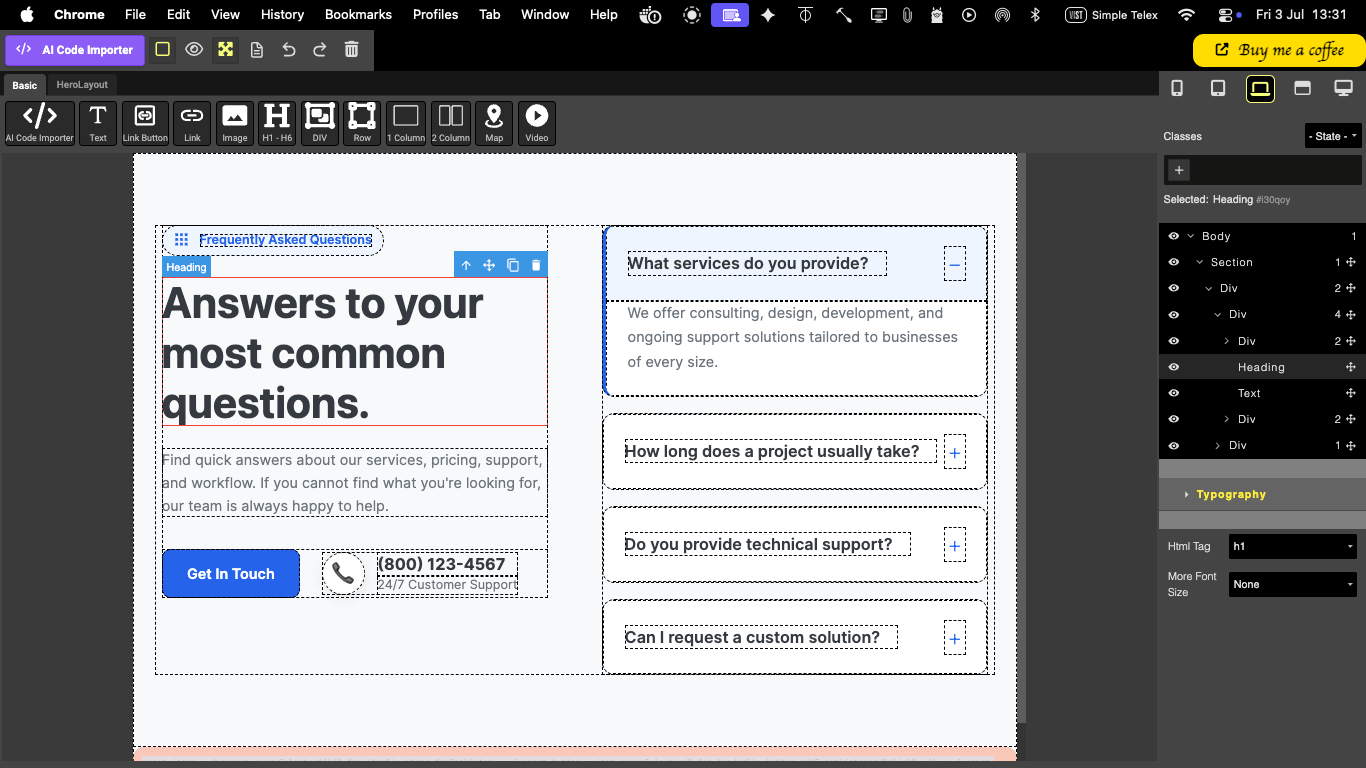
Are you a Joomla beginner looking for a lightweight, fast, and modern way to build beautiful web sections? If you love generating web layouts using AI tools like ChatGPT or Gemini, but struggle with how to import and fine-tune that code inside Joomla, this module is built just for you.
Meet AI Code Importer & Editor - Xiro; your bridge from AI-generated code to a live, visual Joomla frontend.
From AI Prompt to Live Website in Seconds
Use ChatGPT or Gemini to generate your desired HTML and CSS layout.
Copy that raw code and paste it directly into the Import & Edit tab of the Xiro module.
Watch the code instantly come to life on a live canvas editor.
Once imported, the module acts as a fundamental visual builder. It allows you, your staff, or even your clients to easily adjust things like colors, spacing, and backgrounds on the fly. What you see on the backend editor is almost identical to what your visitors see on the live website.
Most modern page builders slow down your website because they generate thousands of lines of redundant, heavy CSS code. Xiro takes a completely different approach.
To keep your website lightning-fast, this module does not load any additional CSS files on your live frontend site. Instead, it smartly borrows the CSS styles that are already active on your Joomla template.
Because this module is built for maximum optimization, it works best when you follow a few basic web best practices:
Ensure your current Joomla template uses and loads standard style sheets like template.css, user.css, or custom.css.
To get the most out of this module, a basic understanding of Bootstrap and CSS classes is highly recommended.
Look through your template's template.css and user.css files to see what classes are already available. When styling your imported HTML, simply reuse those existing classes to keep your website's performance at its absolute peak!
Say goodbye to heavy builders and hello to clean, optimized, and effortless web editing with Xiro.